
To ensure the advanced conversations will share the file/link please follow this on the property:
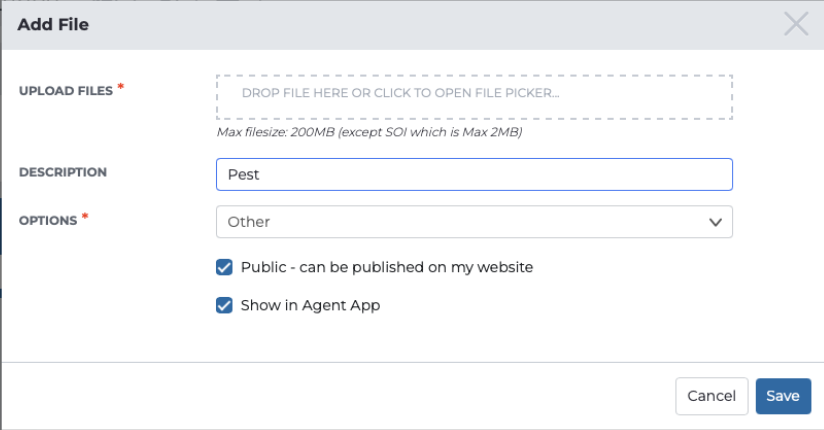
On the property upload your document:
Document Types > Choose Other
Then the file description must have the following in the name to be displayed:
"Contract" then Contract of Sale will be displayed/provided
"Contract" then Contract of Sale will be displayed/provided
"Building" then Building File will be displayed/provided
"Pest" then Pest File will be displayed/provided
"BYB" then Building File will be displayed/provided
"Pool" then Pool File will be displayed/provided
"CMA" OR " Comparable" then CMA file will be displayed/provided
"Pest" then Pest File will be displayed/provided
"BYB" then Building File will be displayed/provided
"Pool" then Pool File will be displayed/provided
"CMA" OR " Comparable" then CMA file will be displayed/provided
"Rental" then Rental CMA/Appraisal file will be displayed/provided
Lastly, ensure "Public - can be published on my website", and "Show in Agent App" are ticked
Comments
0 comments
Article is closed for comments.